
Engineered for Western Print Shops: Maximum Output, Minimum Overhead
Designed for professional print labs seeking to maximize production density and minimize operational costs.
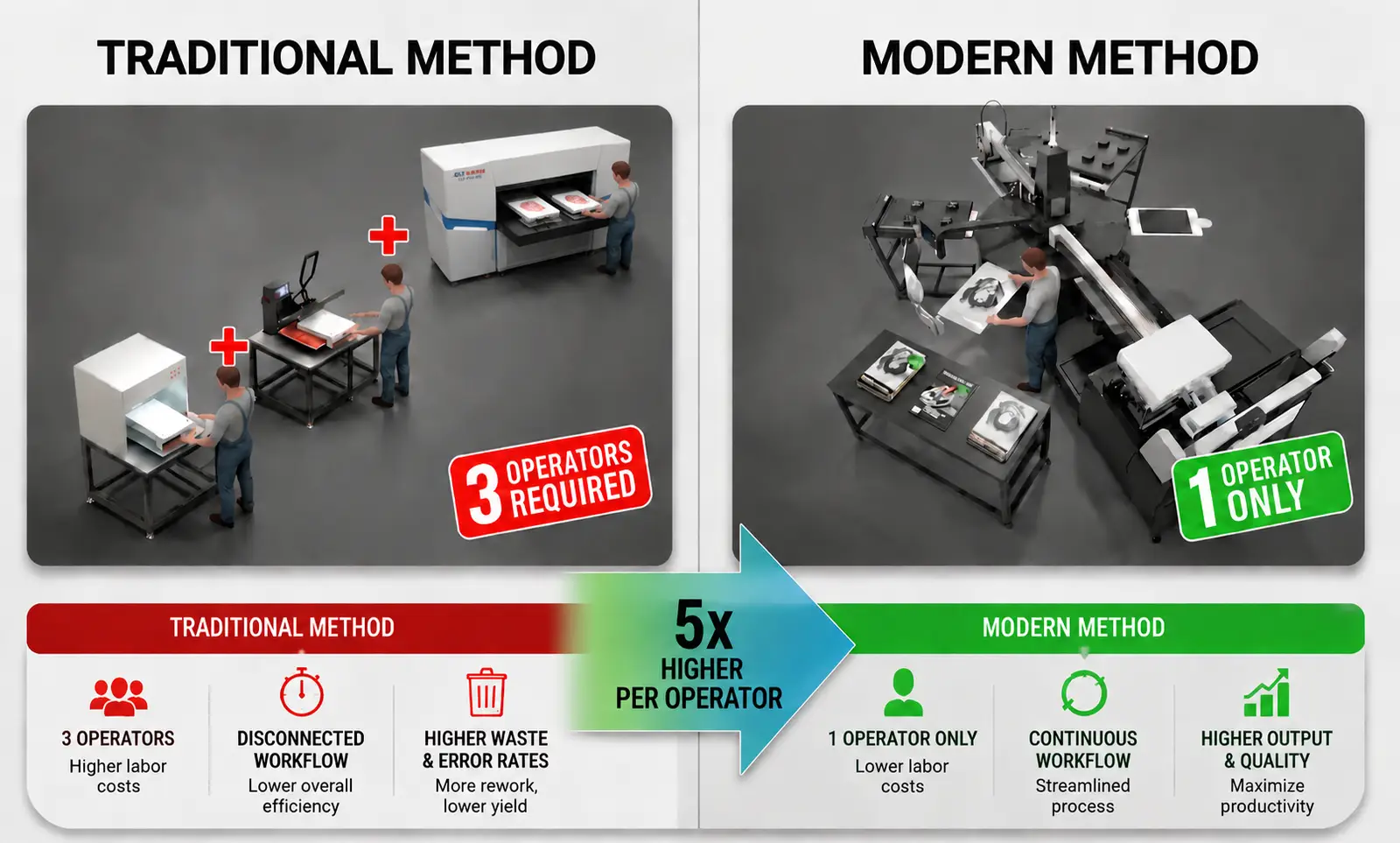
Automated Workflow: How 1 Operator Outperforms 5 Traditional Stations
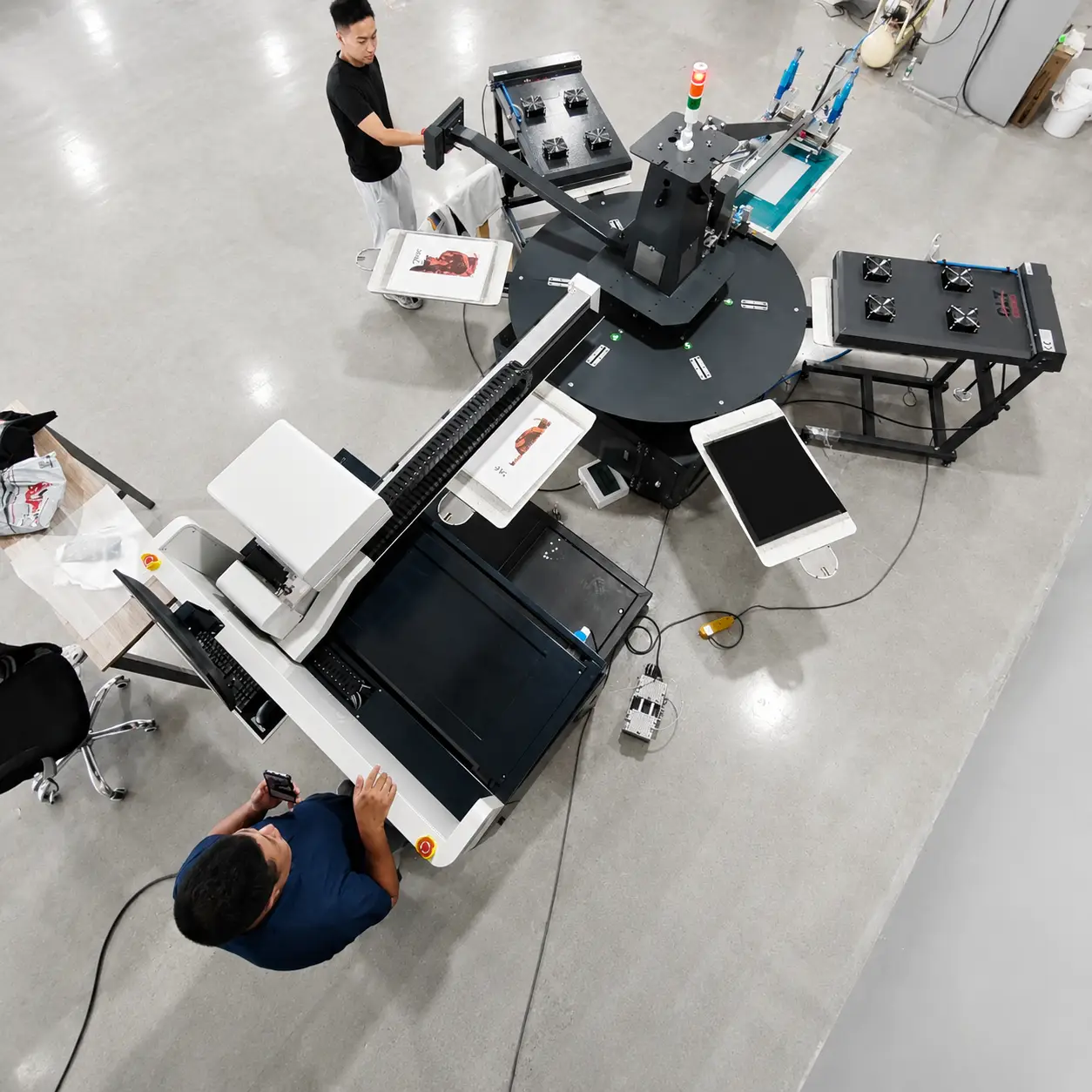
Let's break down the math of shop profitability. In a traditional setup, operators spend ~3 minutes per garment manually spraying pre-treatment, heat-pressing to dry fibers, and loading the printer—capping output at just 20 pcs/h. The 6-station rotary DTG shatters this bottleneck. By integrating precision screen pre-treatment and industrial flash curing on a synchronized carousel, every step happens simultaneously. Throughput is now dictated only by the printhead, reaching 80-120 pcs/h. That's 5x the efficiency per operator, turning high labor costs into immediate competitive advantage. Note: Annual savings typically range $80,000 – $140,000 depending on local labor rates.
Average response time: < 2 hours
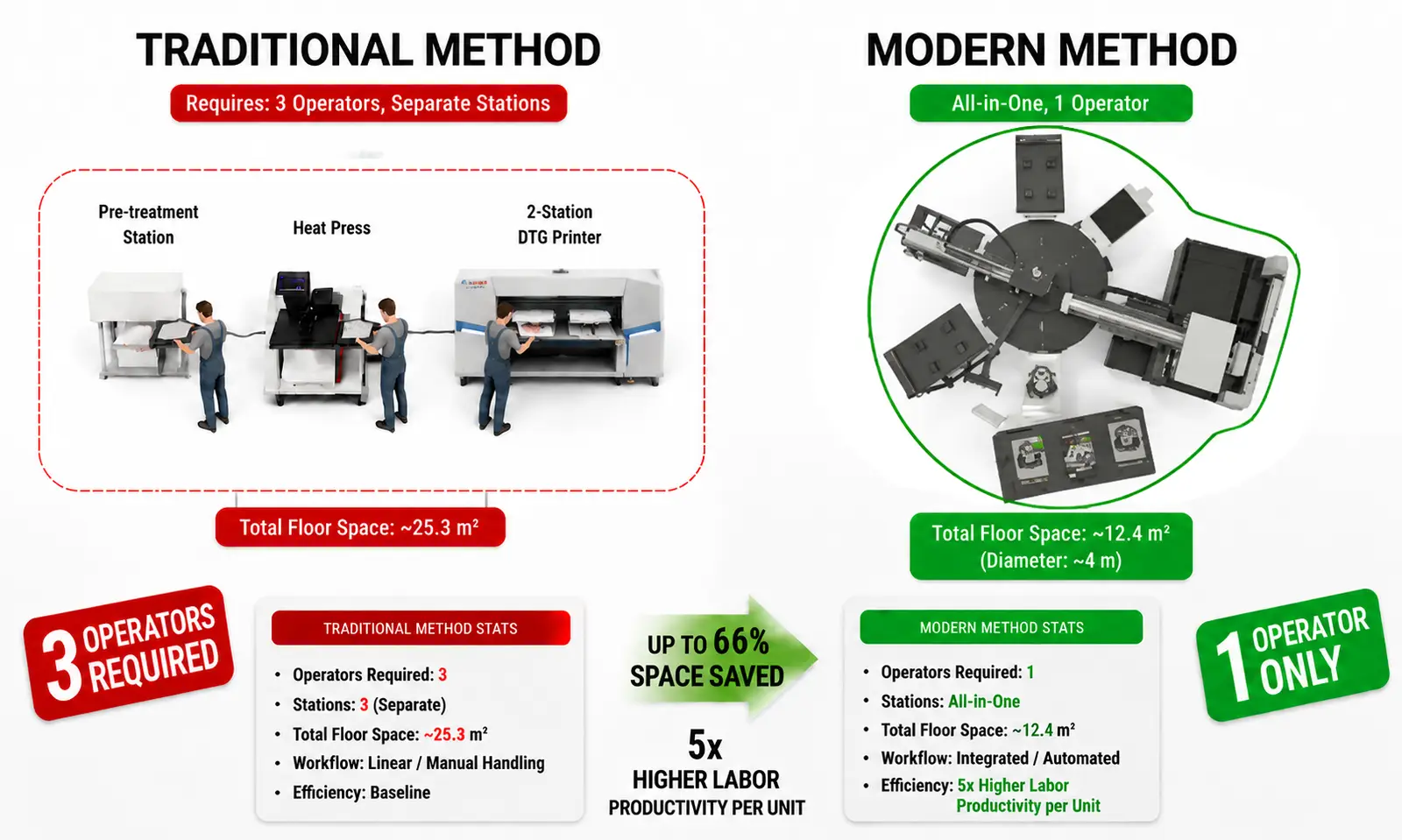
Ultra-Compact Footprint: Reclaim Your Floor Space
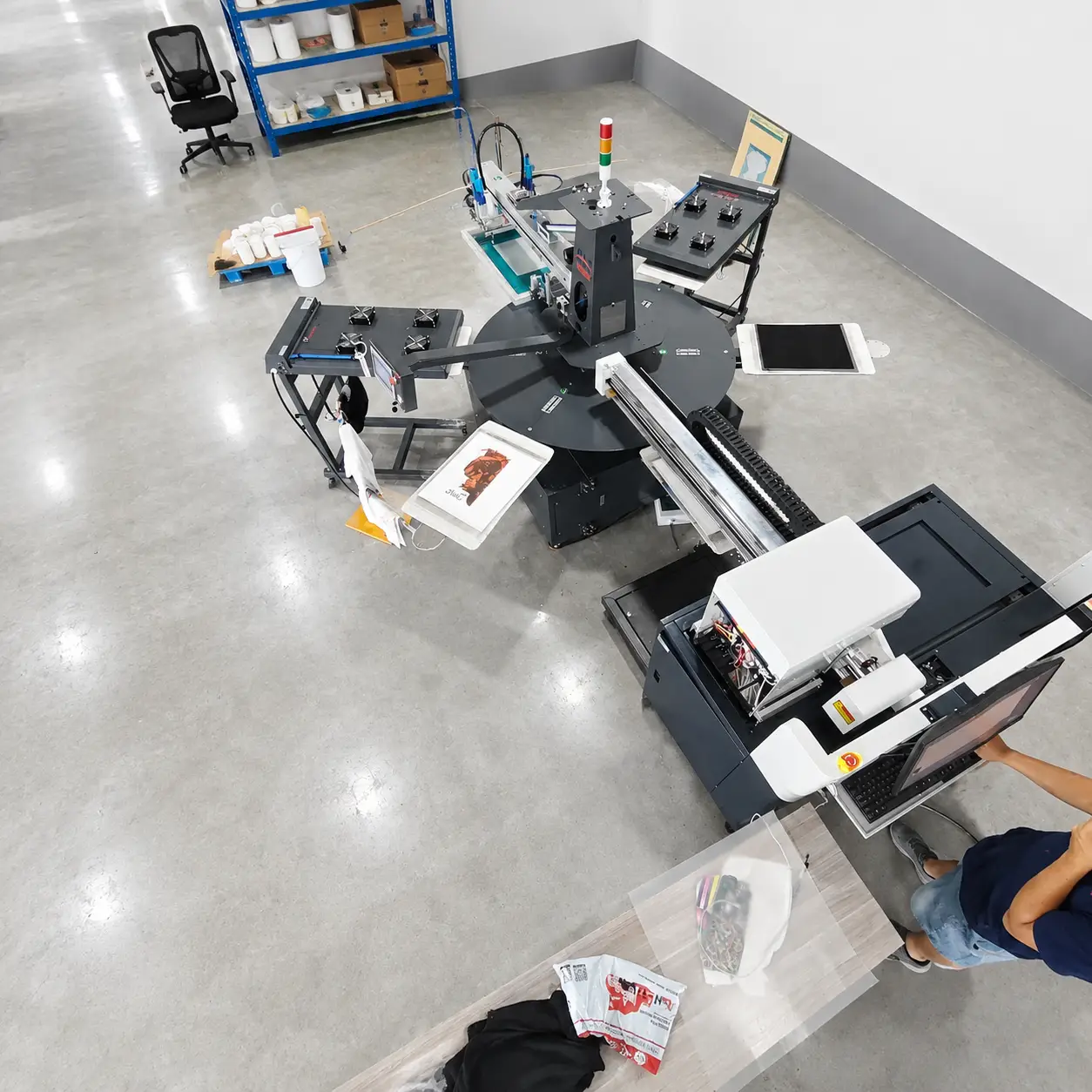
Heavy-duty industrial capacity usually comes with massive space requirements—often forcing shops into expensive, high-rent warehouses just to fit separate machines. The compact carousel DTG architecture shatters this limitation by integrating pre-treatment, dual flash curing, and digital printing within a highly optimized footprint. This factory-in-a-box design eliminates the need for wide aisles and scattered equipment, allowing print labs to triple their production density in current spaces. Reclaim floor space and grow the business without the overhead of moving to a larger facility.
Average response time: < 2 hours
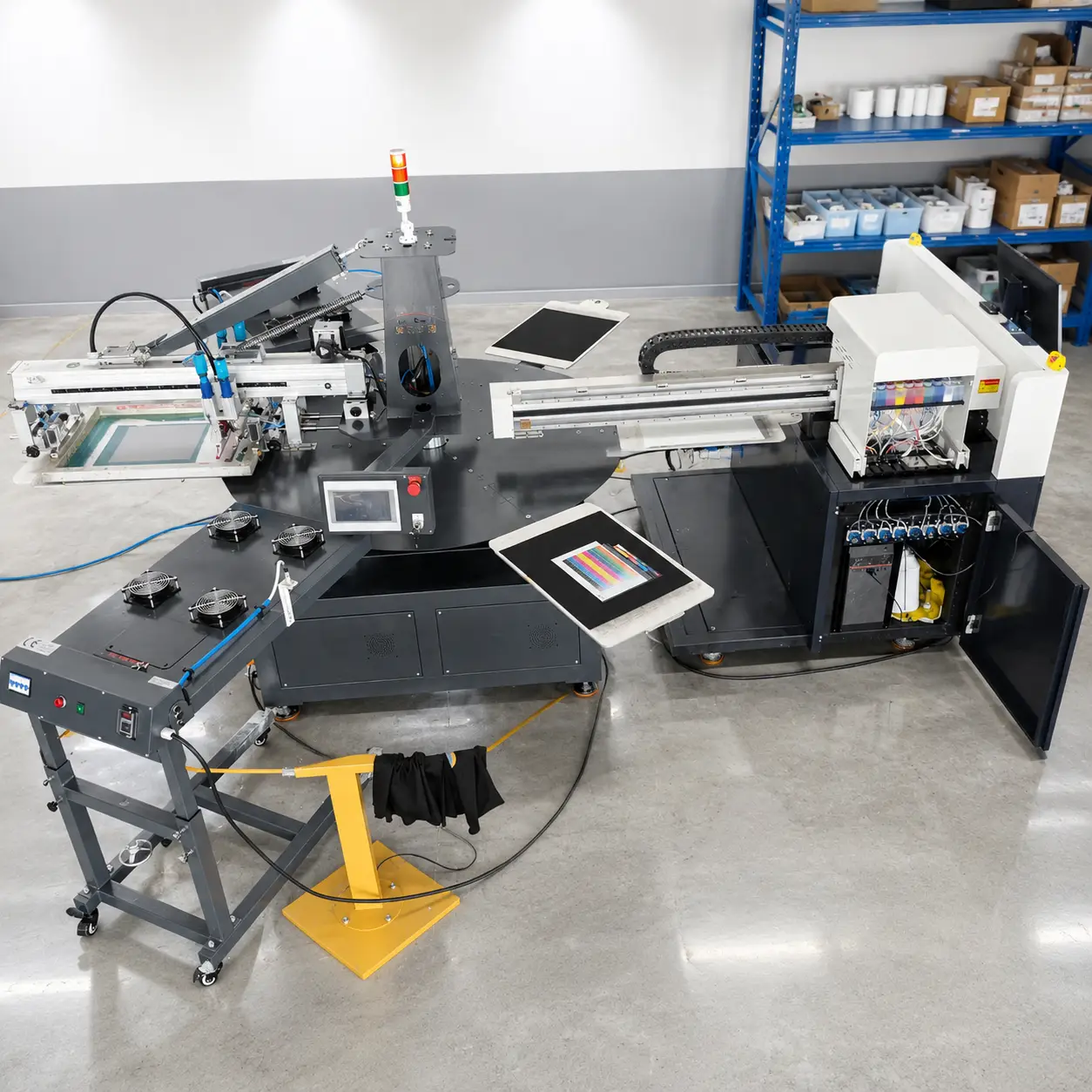
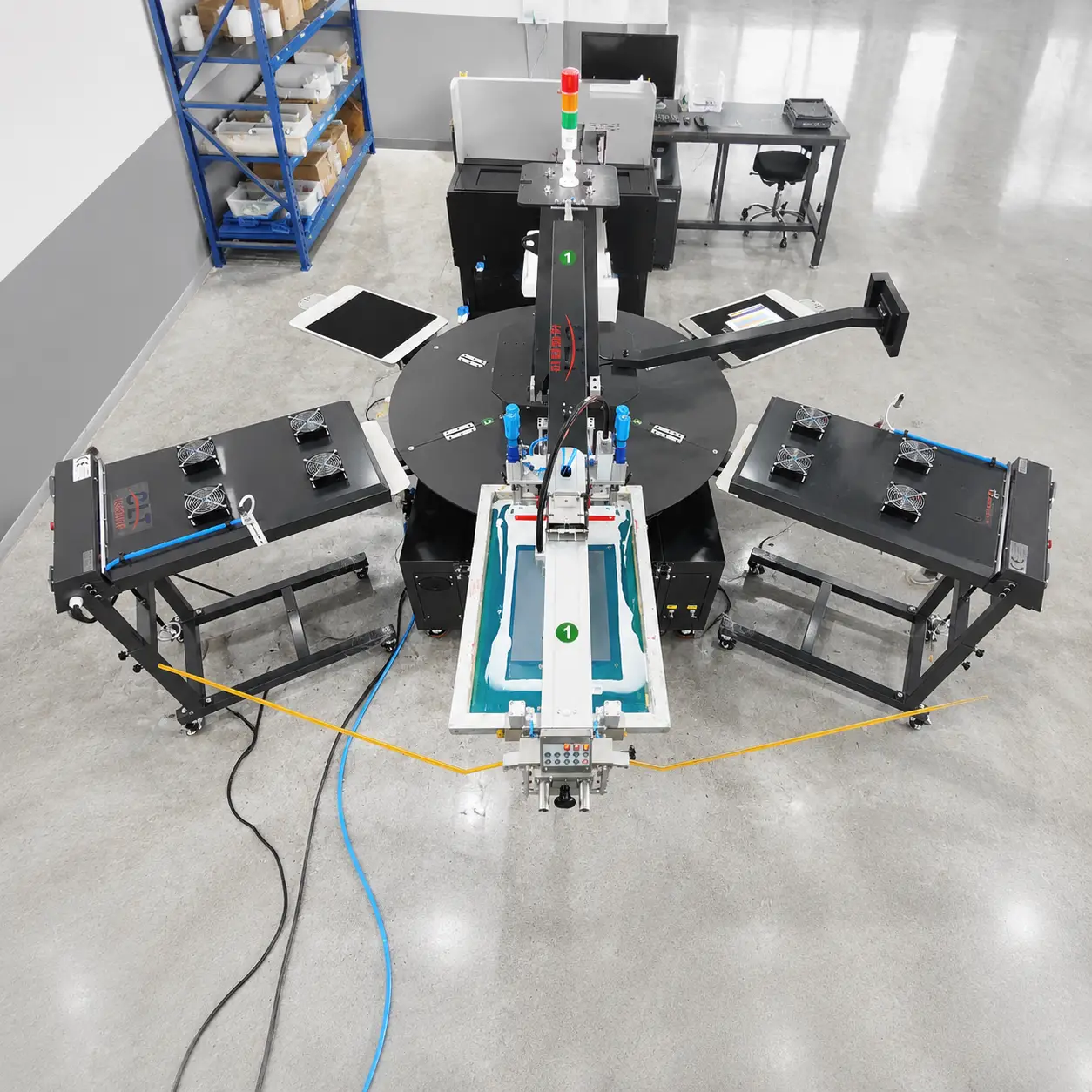
6-Station Compact All-in-One Hybrid DTG Printer - CLT-DTG-2IN1-45-70
Rotary screen pre-treatment and DTG printing on a compact 6-station carousel. Dual flash cure stations, 4 or 8 Epson i3200 heads, CMYKROGB+W ink support.
Key Features:
What the CLT-DTG-2IN1-45-70 Does
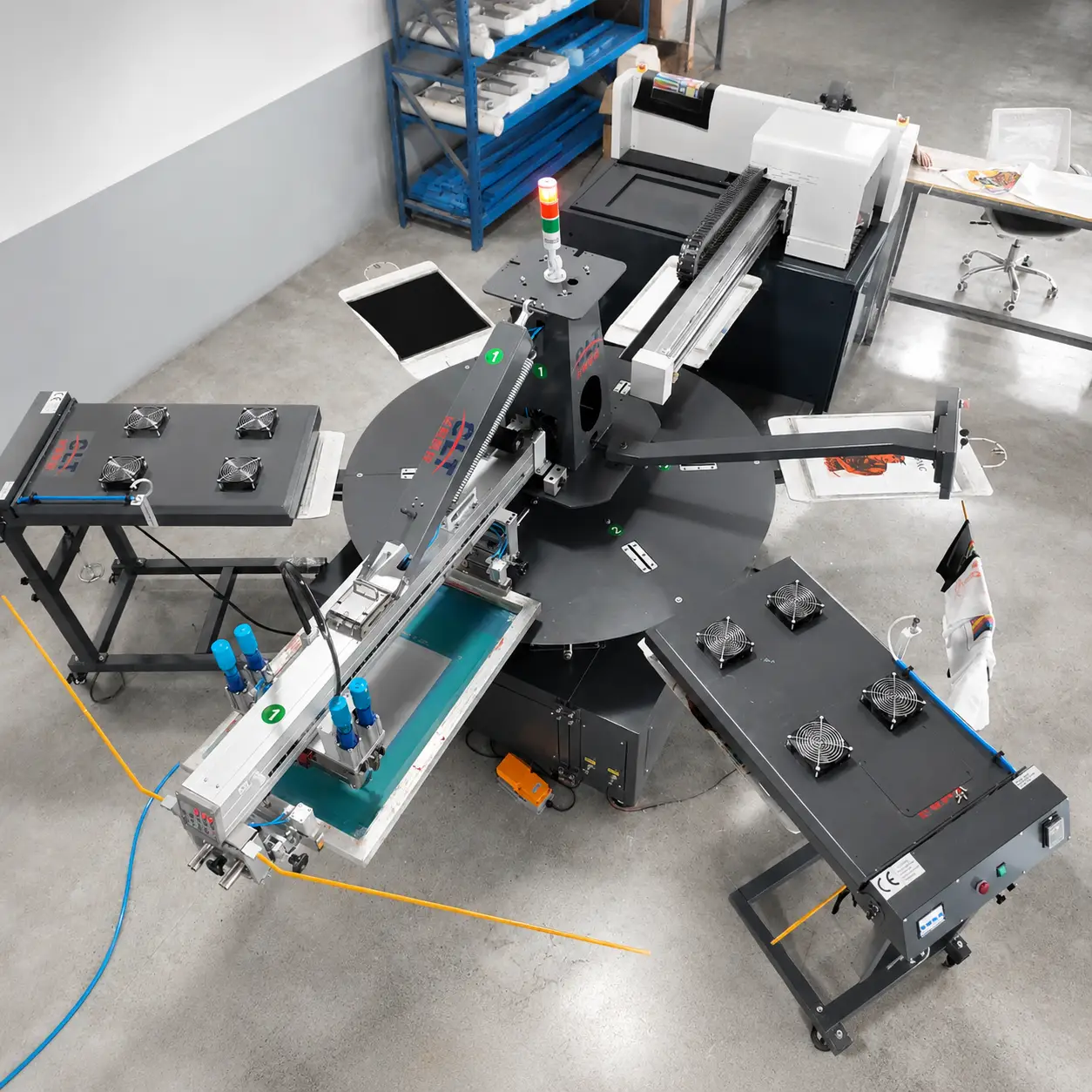
Screen pre-treatment and DTG printing integrated on a single 6-station rotary carousel. The system typically handles dark garments first—squeegee applies pre-treatment, flash cure dries it, then i3200 heads lay down CMYKROGB+W ink in a single pass. Dual flash cure stations keep production flowing while operators load and unload adjacent platens. Operators can pick between 4-head or 8-head configurations depending on throughput targets: 4-head reaches approximately 100-120 pcs/h for light garments, while 8-head pushes 180-200 pcs/h for high-volume dark runs. Best suited for cotton-heavy garments with at least 80% natural fiber content—tees, hoodies, and canvas bags typically perform best. Note: Synthetic blends may require adjusted cure temperatures.
Specs for the CLT-DTG-2IN1-45-70
Full specs for the 6-station hybrid. Covers printhead options, platen sizes, speed ratings, power draw, and footprint dimensions. Operators can match these specs against their production targets.
Product Specifications
Built-In Subsystems for the CLT-DTG-2IN1-45-70
Everything needed to run screen pre-treatment and DTG printing on one machine. Each subsystem is designed for shop-floor durability and easy maintenance by trained operators.
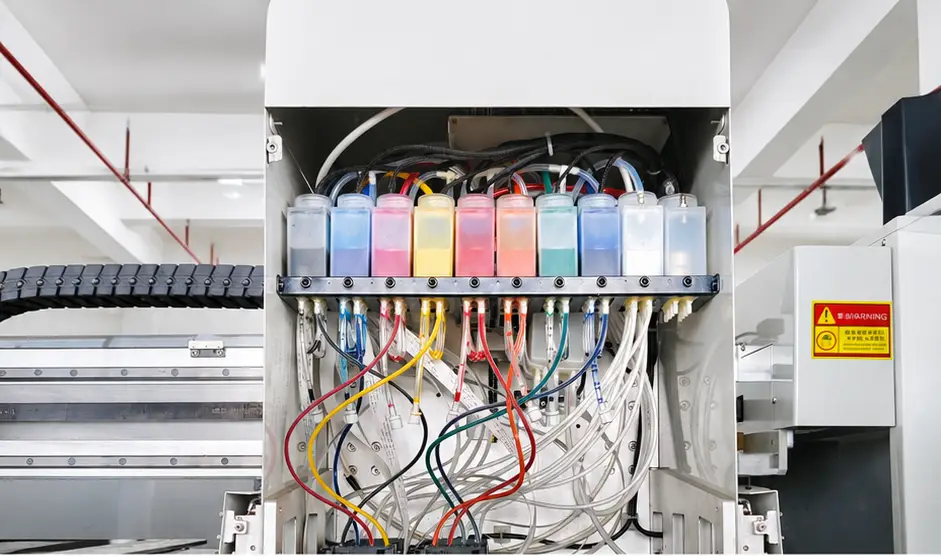
Printhead Array & Ink Supply System
Runs 4 or 8 Epson i3200 heads with a positive pressure ink supply to keep viscosity stable during long runs. Check ink levels at shift start and top off as needed. Nozzle purge cycles run automatically before each print job. Note: Ink viscosity typically varies 2-3 cP per degree Celsius—maintain shop temperature within 18-25°C for consistent output.
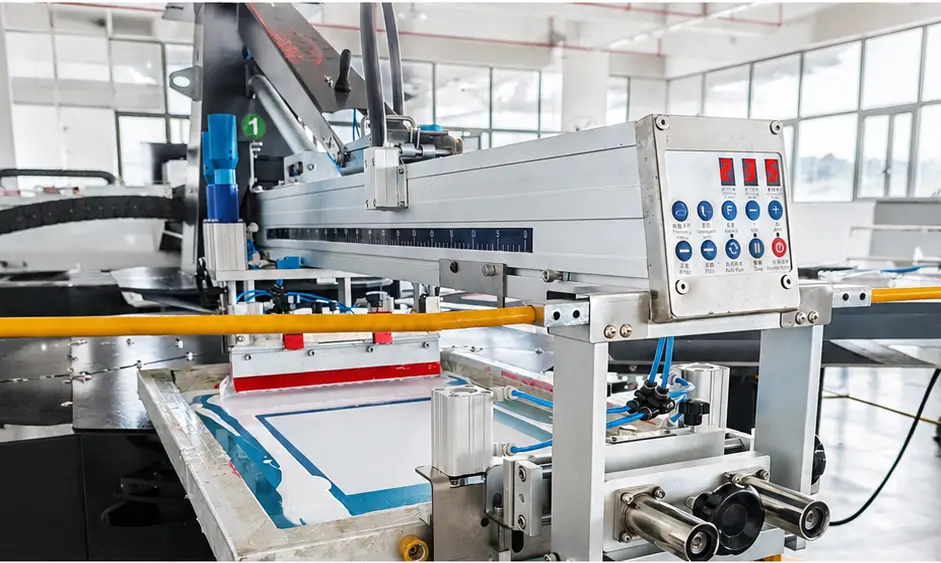
Automated Carousel Arm Control
Rotary arm indexes the carousel with ±0.02mm repeat accuracy. The arm drives one station to the screen squeegee while another prints and a third cures. Keeps multi-color prints in register across the full platen. Important: If registration drift occurs, check encoder strip first—dirt buildup is the most common cause.
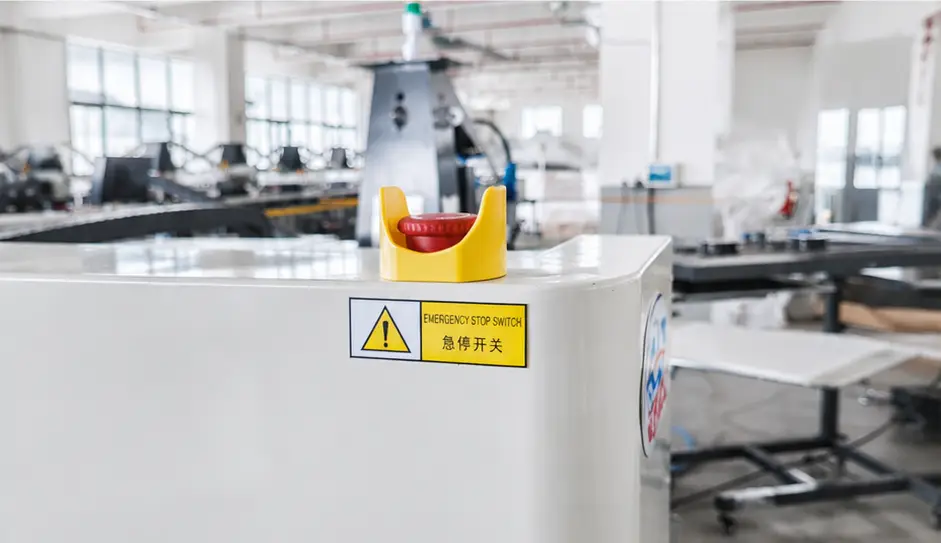
Dual-Side Emergency Safety Switch
E-stops on both sides kill power within 0.4 seconds if something goes wrong. Grab either switch during a jam or misfeed to stop the carriage immediately. Test both monthly to make sure they trip the relay. Note: E-stop activation logs are available in service mode for troubleshooting intermittent faults.
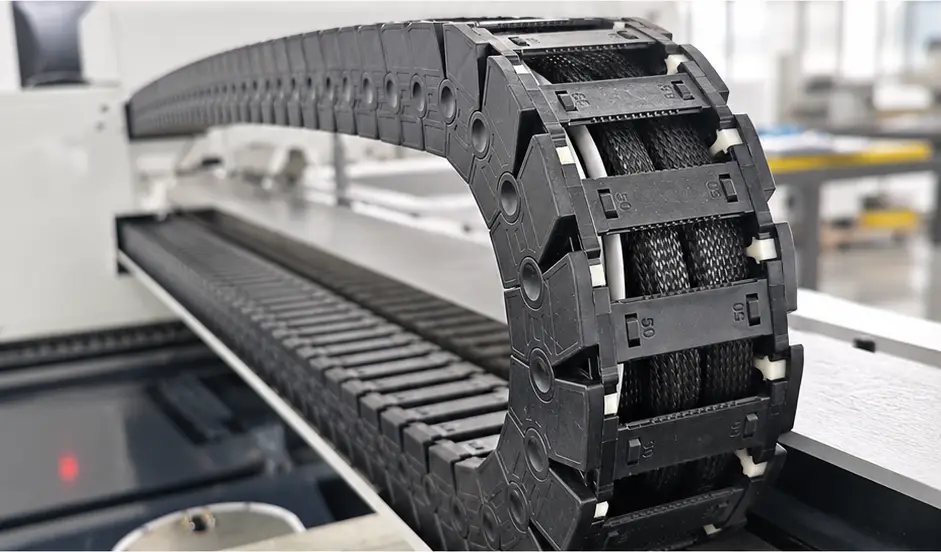
Heavy-Duty Industrial Control Cables
Flexible industrial cables route signals from the main board to the carriage and sensors. These flex-rated cables hold up to continuous rotation without cracking. Inspect terminations quarterly; loose screws cause intermittent faults. Important: Cable replacement requires certified technician—do not attempt field repair.
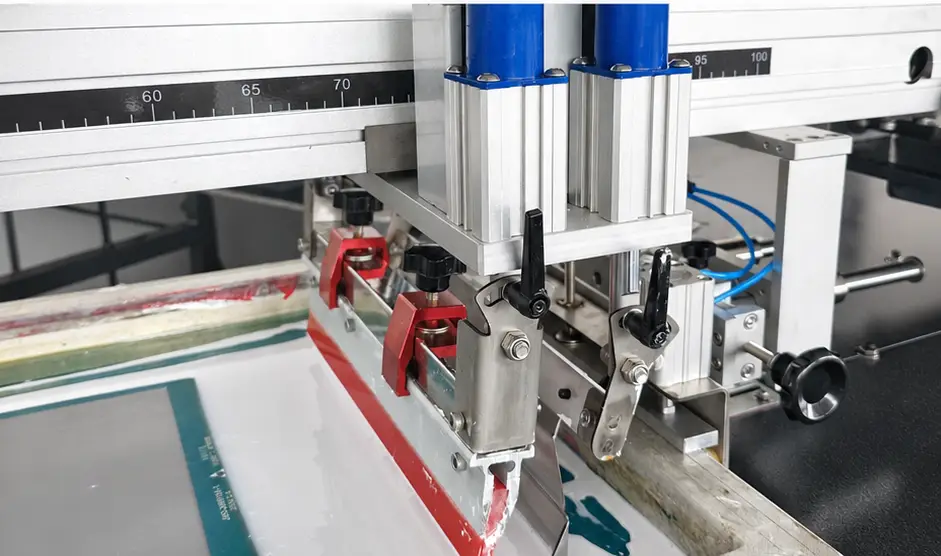
Industrial Screen Print Squeegee
Automates pre-treatment application without the mess of hand spraying. The polyurethane blade distributes liquid evenly across the fabric surface for consistent ink pickup. Clean the blade after every shift to prevent streaks. Note: Squeegee blade hardness varies—80A durometer for light fabrics, 60A for heavy canvas.
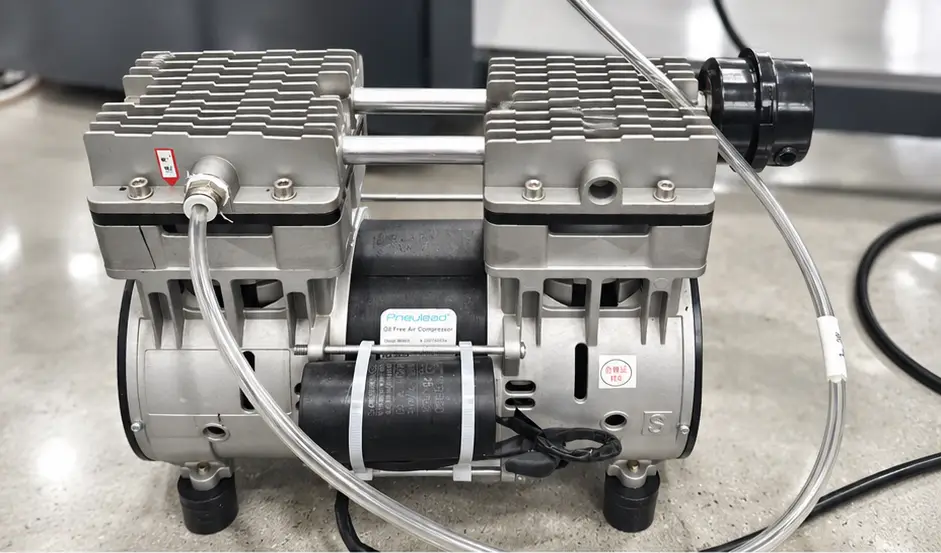
Pneumatic Air Pressure Regulation
Regulated pneumatic system powers the squeegee stroke and platen clamping. Watch the pressure gauge during setup; inconsistent pressure shows up as uneven coating. Drain the air receiver tank daily to keep moisture out of the lines. Important: Operating pressure typically runs 60-80 PSI—check manufacturer specs for your fabric range.
Step-by-Step Workflow: Inline Pre-treatment
The carousel workflow: load garment, squeegee applies pre-treatment, flash cure dries it, printheads lay down ink, final cure bonds everything to fabric. Six stations run simultaneously so operators stay productive while the machine prints.
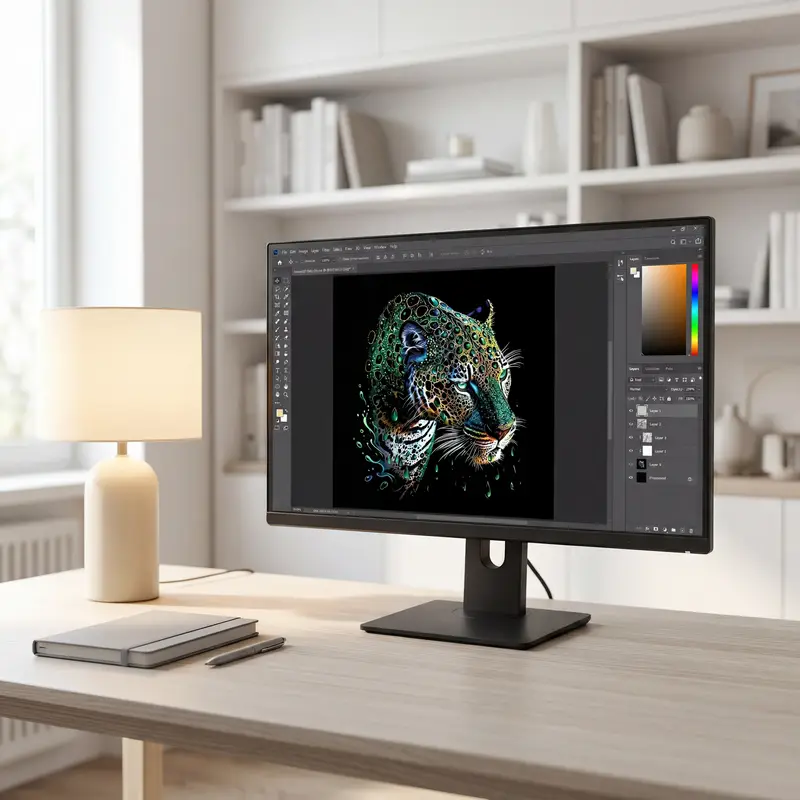
1. Design Artwork
Prepare artwork at 300-600 DPI for CMYKROGB+W output. Higher resolution means cleaner gradients and sharper text on dark garments. Save files as PNG with transparency for best results. Note: File size typically runs 15-25 MB per design at 600 DPI—account for this when setting up network storage.
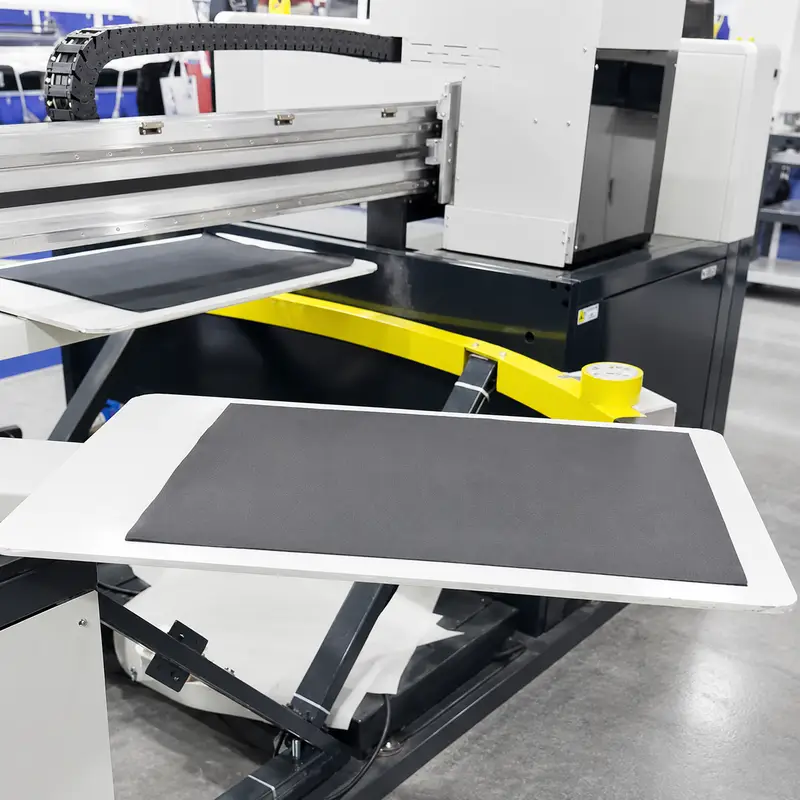
2. Load Garment
Slide the garment onto the platen and pull the pallet taut. Align the collar or seams with the platen marks. Tight platen grip prevents shifting during the screen squeegee pass. Important: Operators typically check platen temperature before loading—cold platens affect pre-treatment adhesion.
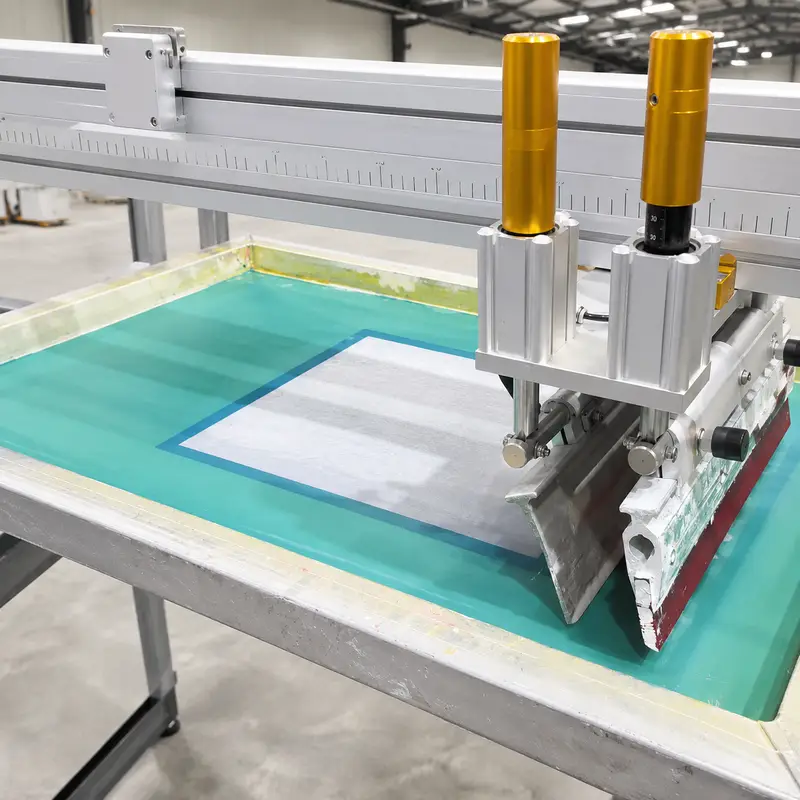
3. Screen Pre-treatment Squeegee
Automated squeegee sweeps pre-treatment liquid across the garment in one pass. Even coating is critical for ink adhesion and color vibrancy on cotton fibers. Adjust squeegee pressure based on fabric weight. Typically, lighter fabrics need 2-3 PSI less pressure than heavy canvas.
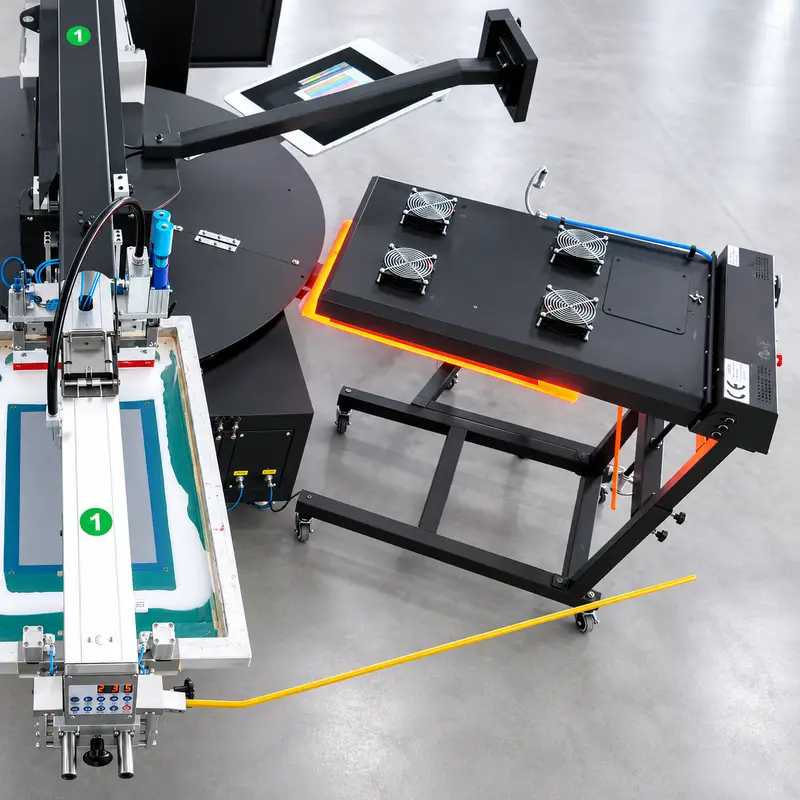
4. Pre-treatment Flash Curing
Flash cure station blasts heat to dry the wet pre-treatment in seconds. The garment needs a flat, moisture-free surface before ink hits the fabric. Under-dried pre-treatment causes ink bleed; over-drying makes the fabric brittle. Operators should monitor cure temperature—typically 320-340°F depending on fabric weight.
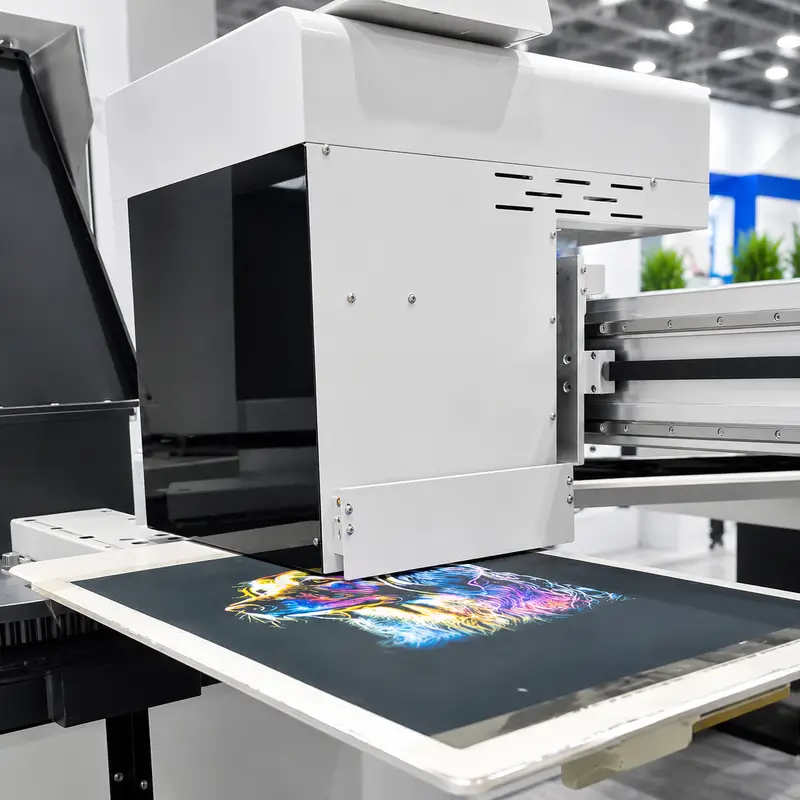
5. DTG Inkjet Printing
Epson i3200 heads lay down CMYKROGB+W pigment ink at 1200 DPI. The pre-treated surface lets ink sit on top rather than bleeding into the fibers. Works best on cotton blends with at least 80% natural fiber content. Note: Print speed varies with resolution—draft mode runs 20-30% faster than standard 1200 DPI.
6. Final Curing & Drying
Final curing station bonds ink to fabric at the correct temperature and dwell time. Proper cure gives wash durability while keeping the print soft. Check a test swatch with a heat press if operators are unsure about cure settings for a new garment. AATCC 61-2A wash testing is recommended for production runs requiring color-critical output.
Where the CLT-DTG-2IN1-45-70 Works Best
This combo machine handles screen pre-treatment and DTG printing on one carousel. Works well for cotton tees, canvas bags, and fashion prototyping runs. Automated pre-treatment cuts labor costs compared to manual spraying setups.
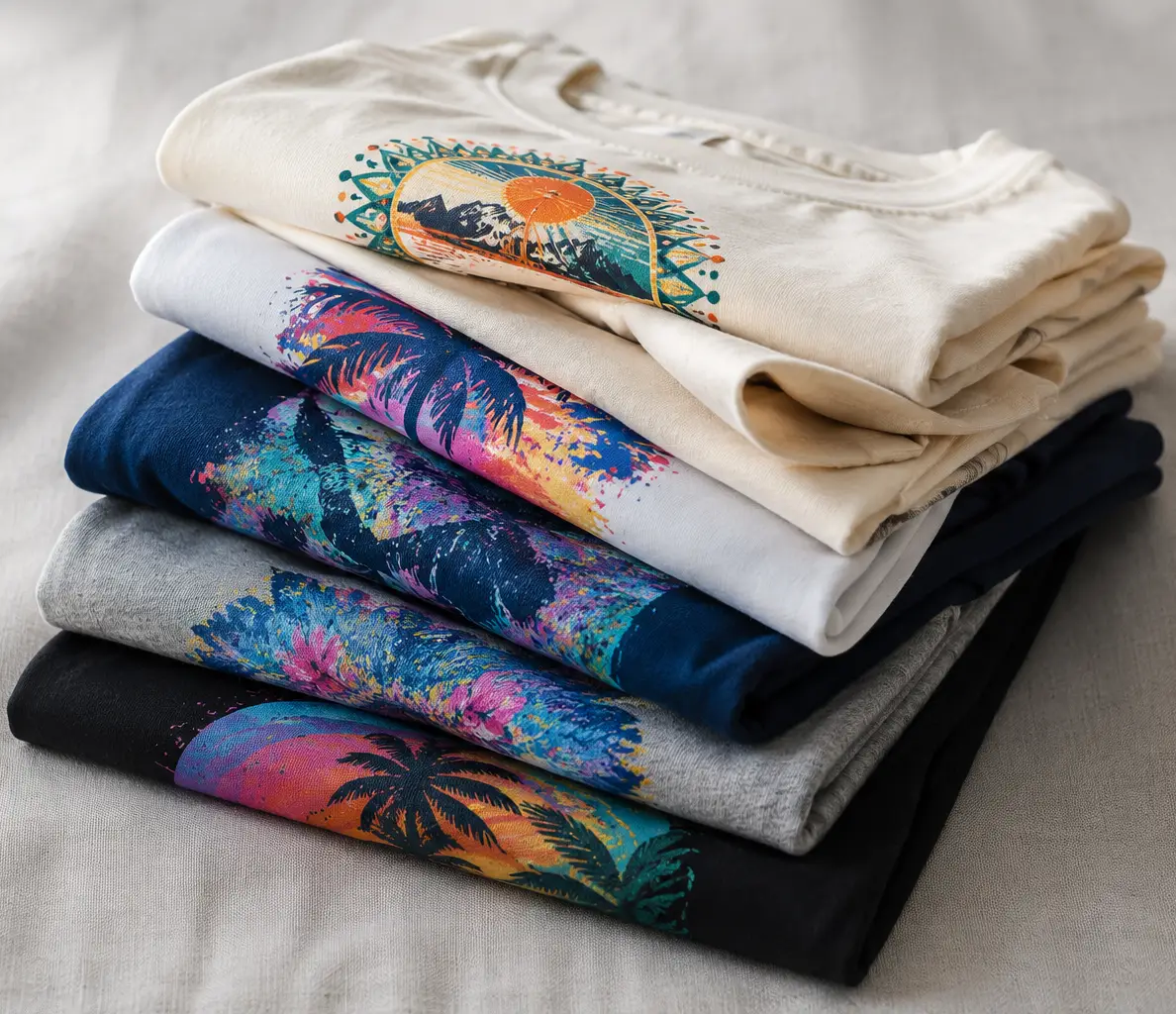
High-Volume T-Shirt Customization
Prints dark and light cotton tees at up to 180 pieces per hour with the 8-head config. Screen pre-treatment means no ink pooling on dark garments. Handles complex gradients and fine text without manual color separation. Note: For best wash durability results, operators should run AATCC 61-2A wash tests on first production runs.
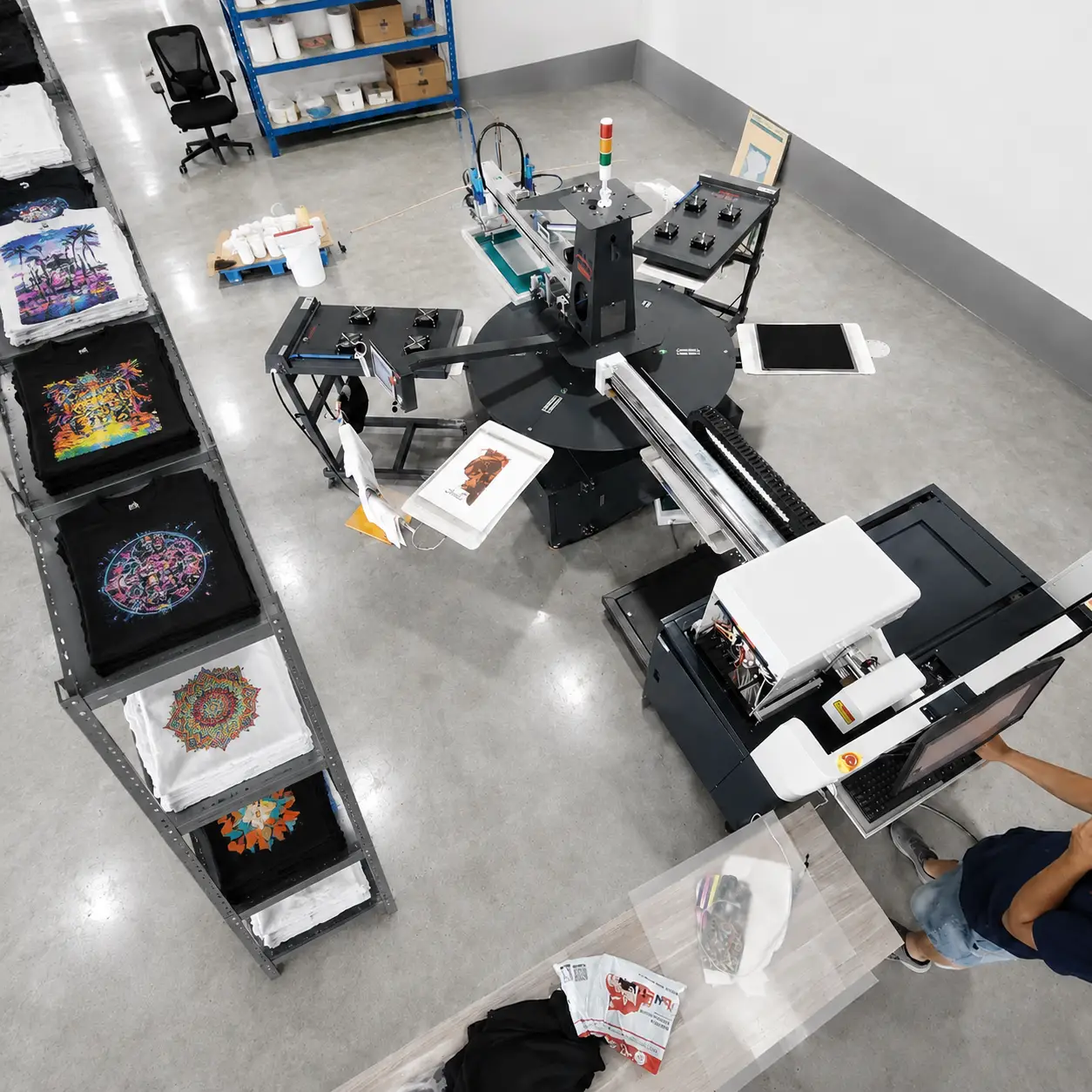
Boutique On-Demand Fulfillment
Small print shops run same-day jobs without tying up manual equipment. The 6-station carousel keeps printing while operators load the next platen. Zero setup waste compared to screen printing for runs under 50 pieces. Important: Humidity typically runs 45-65% RH in fulfillment environments for optimal ink adhesion.

Heavy-Duty Canvas Tote Printing
Automated squeegee handles canvas weight without hand spraying. Pre-treatment penetrates thick fibers for solid ink coverage on tote bags and duck cloth. No thinning or diluting needed compared to manual application. Note: Canvas typically requires 10-15% more pre-treatment than standard cotton blends.

Boutique Apparel Prototyping
Test colorways and prints without committing to a full screen run. DTG layer handles photographic prints and multi-color gradients that would need multiple screens otherwise. Humidity matters for small runs; keep the shop between 45-65% RH. Important: For fashion prototypes, operators typically run test prints at standard 1200 DPI before scaling to production.
Technical Support for the CLT-DTG-2IN1-45-70
When something breaks, support teams help operators get back online. Firmware updates, troubleshooting guides, and live remote diagnostics come standard with every machine.

Production Security: Why Our One-Year Warranty Ensures Continuity
One-year coverage on most mechanical parts keeps unplanned downtime from killing production schedules. If the carousel index motor fails, warranty covers parts and labor. Important: Using non-CLT parts for wear items voids the warranty—keep a log of genuine replacement parts for service records.

Deployment Efficiency: Step-by-Step Installation for Rapid ROI
Step-by-step guides walk operators through mechanical and electrical setup. Most shops achieve stable first prints within two hours of unpacking. If the platen doesn't level correctly, check floor flatness—it must be within 0.05mm per meter. Note: Concrete floors typically need curing time before heavy equipment installation.
Operational Resilience: Troubleshooting for 24/7 Production
Troubleshoot guides cover banding, misfeeds, and cure issues—each section targets specific symptoms. If banding appears on prints, clean the encoder strip first (every 15 operating hours). If banding persists after cleaning, check ink viscosity and ambient temperature. Note: Registration drift typically indicates encoder strip contamination rather than mechanical wear.

Technical Continuity: Real-Time Remote Assistance for Complex Issues
Senior techs log in remotely to run diagnostics and check sensor readings. If firmware update fails mid-flash, do not power cycle—contact support immediately. Most issues resolve on the first call. Important: Remote assistance requires at least 5 Mbps upload speed for video sharing; lower bandwidth may limit diagnostic capabilities.